
ChatGPT: Unleashing the Power of Language Generation
Have you ever wondered how some companies are able to produce massive amounts of content in a short...

- January 12, 2023

Have you ever wondered how some companies are able to produce massive amounts of content in a short...

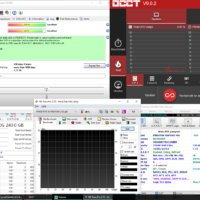
Are you having trouble with your system not working properly? Are you looking for a simple, fast way to diagnose and repair any system problems you have? Look no further; by using WinPE, you will be able to quickly diagnose and repair any system-related issues in no time!
WinPE is an incredibly powerful tool in the world of IT and computer technology. It is a pre-installation environment that allows users to conveniently boot up their system in order to troubleshoot and diagnose any system problems they may be having. It provides an easy-to-use interface that is designed to help IT professionals and computer users alike quickly find and resolve system problems without needing to call in an expensive technician. With WinPE, you can access diagnostic data, fix driver issues, scan and repair disk errors, and even restore lost data in just a few clicks!
By using WinPE, you can diagnose and repair any system problems in no time. Not only is it incredibly
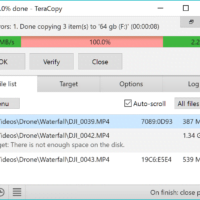
Be in control In case of a copy error, TeraCopy will try to recover it. If unable to...
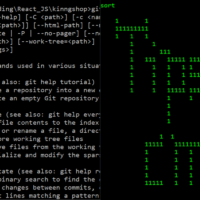
One of the most difficult things about learning a new operating system is becoming accustomed to the new set of commands. Windows is no different. If you’re a beginner, the thought of having to memorize a bunch of different commands can be daunting. But don’t worry, we’ve got you covered. In this blog post, we’ll introduce you to 40 of the most essential Windows commands for beginners. By the time you’re finished reading, you’ll be a pro at using the command line interface in Windows. So let’s get started!

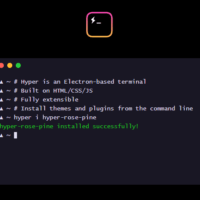
We’ve all experienced it – the dreaded lag time when launching applications or running updates on our computers. We want our systems to be as fast and efficient as possible, but often don’t know how to unlock their potential. With Hyper Terminal, you can quickly access hidden features and unleash your computer’s speed and capabilities. In this blog post, we’ll explore how Hyper Terminal enables you to increase the performance of your computer, maximize your storage efficiency, and boost its functionality. Get ready to unlock the potential of your computer with Hyper Terminal!
DriverEasy is a program that helps you update drivers on your computer. This can be a hassle, especially if you’re not sure which drivers need to be updated. DriverEasy makes it easy by scanning your computer and identifying which drivers need to be updated. You can then choose to update all of the drivers at once, or just the ones that are causing problems.
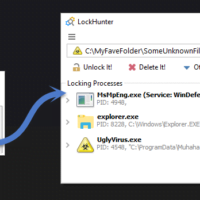
Shows processes locking a file or folderGives you detailed information on the processAllows to unlock, delete, copy or...

Are you a Linux user? If so, you’ll love these tricks and tips!Save time with keyboard shortcuts.Use the...