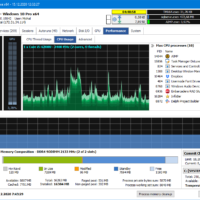

Windows’ built-in Task Manager gives you basic CPU and RAM percentages, while Sysinternals splits deep diagnostics across three separate utilities. MiTeC Task Manager Deluxe (TMX) bridges that gap in a single, zero-install portable executable—combining real-time process telemetry, Windows services, autorun entries, and live TCP/UDP network connections in one clean interface.
What Makes Task Manager DeLuxe Stand Out
True Zero-Install Portability
Ships as a standalone binary with no installer, no background driver bloat, and no registry pollution—drop it straight onto a Ventoy or WinPE rescue USB stick.
All-in-One Diagnostic Tabs
Inspect running processes, loaded DLL modules, Windows Services, kernel drivers, startup autoruns, active network sockets, and open user sessions without switching tools.
Live Telemetry & Snapshots
Track per-process disk I/O, GDI/USER handles, CPU affinity, and priority levels in real time, or export full system state snapshots for offline troubleshooting.
TMX vs. Windows Task Manager vs. Process Explorer
Here is how MiTeC Task Manager DeLuxe stacks up against the built-in Windows utility and Microsoft’s Sysinternals Process Explorer:
| Feature | MiTeC TMX | Windows Task Manager | Process Explorer |
|---|---|---|---|
| Standalone Portable Binary | Yes — single TMX64.exe | Built into OS | Yes — portable |
| Autoruns & Startup Inspection | Built-in dedicated tab | Basic startup list only | Requires separate Autoruns |
| Live TCP/UDP Socket Monitor | Built-in network tab | No | Per-process properties only |
| Kernel Drivers & Services | Full driver & service control | Basic service start/stop | DLL/Handle view only |
| Exportable System Snapshots | Yes — save & compare logs | No | Text dump only |
Final Verdict
Whether you are diagnosing a sluggish workstation, hunting down rogue background network connections, or building a portable technician USB toolkit, MiTeC Task Manager DeLuxe delivers Sysinternals-level visibility in a faster, unified layout.