

For the past couple of years, the browser market has felt like a tug-of-war between two extremes: the resource-heavy dominance of Google Chrome and the highly polished, but closed-ecosystem approach of Chromium-based newcomers like Arc.
Enter Zen Browser. Launched as a free, open-source alternative, Zen takes the productivity-first, beautiful UI concepts of modern workspace browsers and builds them entirely on top of Mozilla Firefox. If you’ve been looking for a distraction-free, privacy-respecting browser that doesn’t feed the Chromium monopoly, Zen might be exactly what you need.
The biggest selling point for many power users is what’s under the hood. Zen runs on Firefox’s Gecko rendering engine. This means you aren’t just getting another Chrome clone with a fresh coat of paint.
Because it’s Firefox-based, you get:
Total Extension Compatibility: You have full access to the Firefox Add-ons store, meaning essential tools like uBlock Origin work flawlessly (a major plus given Chrome’s recent shifts with Manifest V3).
Firefox Sync: You can log in with a Mozilla account to sync bookmarks, passwords, and history.
Strong Privacy Defaults: Zen utilises Firefox’s Enhanced Tracking Protection but goes a step further by stripping out built-in Mozilla telemetry. It’s an open-source project with a clear “no data collection” stance.
Standout Productivity Features
Zen is designed for people who treat their browser as a workstation. It strips away digital noise and gives you tools to manage tab hoarding. Vertical Tabs & Compact Mode
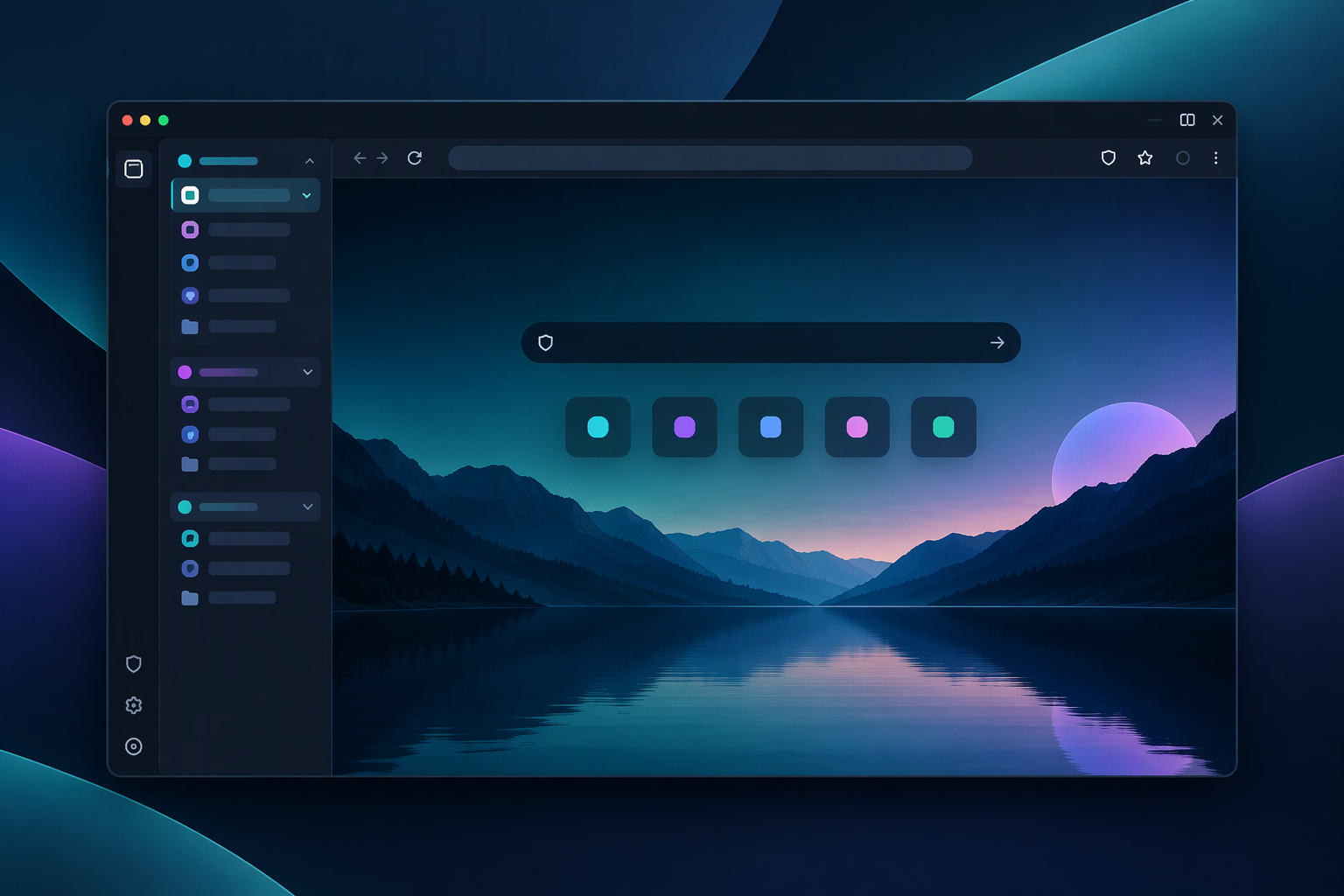
Zen defaults to a vertical tab layout in a sidebar—a design that inherently makes better use of modern widescreen monitors. If you need maximum screen real estate for coding or reading, Compact Mode auto-hides the tab bar entirely, revealing it only when you hover near the edge. Workspaces & Split View
Instead of drowning in 50 tabs across one window, Zen lets you organise them into Workspaces (e.g., “Work,” “Research,” “Personal”). You can switch between these environments instantly. Furthermore, Split View allows you to tile multiple tabs side-by-side in the same window, which is perfect for referencing documentation while writing. Zen Glance & Mods
Borrowing from the best UI trends, holding a modifier key while clicking a link triggers Glance—a modal popup that lets you preview a page without committing to opening a new tab.
Additionally, Zen features a Mods system. These are community-built, one-click CSS and JavaScript tweaks that allow you to customise the browser’s look and behaviour far beyond standard themes. How Does It Compare? Feature Zen Browser Mozilla Firefox Arc Browser Engine Gecko (Firefox) Gecko Chromium Open Source Yes Yes No Native Vertical Tabs Yes No (requires extensions) Yes Built-in Telemetry None Yes (can be disabled) Yes Best For… Productivity & privacy purists, Mainstream privacy & stability, Mac-native power users Performance & Real-World Usage
While Zen feels incredibly fast and fluid in focused workflows, it is worth noting that it is still a relatively young project. In raw benchmark tests (like Speedometer 3.0), it can occasionally lag slightly behind highly optimised browsers like Safari or bare-bones Chrome, largely due to the overhead of its custom UI shell.
Memory management is generally good, especially with its aggressive tab-unloading features, but users on older machines might experience occasional choppiness when juggling dozens of heavy web apps across multiple windows. However, the development team is highly active on GitHub, pushing frequent updates to refine performance. Final Verdict
Zen Browser sits in a fascinating sweet spot. It offers the slick, workspace-oriented design of a modern productivity browser while maintaining the open-source, privacy-first ethos of Firefox.
It isn’t perfect yet—those deeply embedded in the Google Workspace offline ecosystem or reliant on Chrome-exclusive extensions will need to adjust. But for developers, researchers, and privacy-conscious users who want a beautiful interface that actually helps them focus, Zen is one of the most exciting browser releases in years.
For the past couple of years, the browser market has felt like a tug-of-war between two extremes: the resource-heavy dominance of Google Chrome and the highly polished, but closed-ecosystem approach of Chromium-based newcomers like Arc.
Enter Zen Browser. Launched as a free, open-source alternative, Zen takes the productivity-first, beautiful UI concepts of modern workspace browsers and builds them entirely on top of Mozilla Firefox. If you’ve been looking for a distraction-free, privacy-respecting browser that doesn’t feed the Chromium monopoly, Zen might be exactly what you need.

The Firefox Foundation (Without the Baggage)
The biggest selling point for many power users is what’s under the hood. Zen runs on Firefox’s Gecko rendering engine. This means you aren’t just getting another Chrome clone with a fresh coat of paint.
Because it’s Firefox-based, you get:
- Total Extension Compatibility: You have full access to the Firefox Add-ons store, meaning essential tools like uBlock Origin work flawlessly (a major plus given Chrome’s recent shifts with Manifest V3).
- Firefox Sync: You can log in with a Mozilla account to sync bookmarks, passwords, and history.
- Strong Privacy Defaults: Zen utilises Firefox’s Enhanced Tracking Protection but goes a step further by stripping out built-in Mozilla telemetry. It’s an open-source project with a clear “no data collection” stance.
Standout Productivity Features
Zen is designed for people who treat their browser as a workstation. It strips away digital noise and gives you tools to manage tab hoarding.
Vertical Tabs & Compact Mode
Zen defaults to a vertical tab layout in a sidebar—a design that inherently makes better use of modern widescreen monitors. If you need maximum screen real estate for coding or reading, Compact Mode auto-hides the tab bar entirely, revealing it only when you hover near the edge.
Workspaces & Split View
Instead of drowning in 50 tabs across one window, Zen lets you organise them into Workspaces (e.g., “Work,” “Research,” “Personal”). You can switch between these environments instantly. Furthermore, Split View allows you to tile multiple tabs side-by-side in the same window, which is perfect for referencing documentation while writing.
Zen Glance & Mods
Borrowing from the best UI trends, holding a modifier key while clicking a link triggers Glance—a modal popup that lets you preview a page without committing to opening a new tab.
Additionally, Zen features a Mods system. These are community-built, one-click CSS and JavaScript tweaks that allow you to customise the browser’s look and behaviour far beyond standard themes.
How Does It Compare?
| Feature | Zen Browser | Mozilla Firefox | Arc Browser |
|---|---|---|---|
| Engine | Gecko (Firefox) | Gecko | Chromium |
| Open Source | Yes | Yes | No |
| Native Vertical Tabs | Yes | No (requires extensions) | Yes |
| Built-in Telemetry | None | Yes (can be disabled) | Yes |
| Best For… | Productivity & privacy purists | Mainstream privacy & stability | Mac-native power users |
Performance & Real-World Usage
While Zen feels incredibly fast and fluid in focused workflows, it is worth noting that it is still a relatively young project. In raw benchmark tests (like Speedometer 3.0), it can occasionally lag slightly behind highly optimised browsers like Safari or barebones Chrome, largely due to the overhead of its custom UI shell.
Memory management is generally good, especially with its aggressive tab-unloading features, but users on older machines might experience occasional choppiness when juggling dozens of heavy web apps across multiple windows. However, the development team is highly active on GitHub, pushing frequent updates to refine performance.
Final Verdict
Zen Browser sits in a fascinating sweet spot. It offers the slick, workspace-oriented design of a modern productivity browser while maintaining the open-source, privacy-first ethos of Firefox.
It isn’t perfect yet—those deeply embedded in the Google Workspace offline ecosystem or reliant on Chrome-exclusive extensions will need to adjust. But for developers, researchers, and privacy-conscious users who want a beautiful interface that actually helps them focus, Zen is one of the most exciting browser releases in years. Download Zen Browser here and try it for yourself.